

When you decide to migrate from Tally to ERPNext, you’re not just swapping software—you’re auditing decades of business data. The reality behind every successful migration isn’t flashy tooling or overnight cutover. It’s unglamorous: cleaning duplicate customer records, standardizing item codes, reconciling mismatched opening balances, and proving every rupee moved correctly.
Most implementations I’ve supported follow this pattern: business owners expect a two-week switchover, then discover their Chart of Accounts has 400 ledgers (200 of them inactive), item masters lack HSN codes, and nobody can explain why “Miscellaneous Expenses” has ₹12 lakh sitting unreconciled. The migration doesn’t fail because ERPNext can’t handle it. It fails because the team never defined who owns what data, when the freeze happens, or how validation will be proven.
This guide covers the three stages that determine whether you migrate from Tally to ERPNext smoothly or spend six months in reconciliation limbo: data cleanup, mapping and import, and cutover with validation.
Why Most Migrations Stall: It’s the Data
The promise when you migrate from Tally to ERPNext is appealing: multi-user access, real-time inventory tracking, integrated CRM, automated workflows. But between “export from Tally” and “go-live in ERPNext” sits a valley of decisions most teams don’t anticipate.
Watch out: Tally allows informal data entry—customers without GST numbers, items without proper groups, ledgers created on-the-fly during voucher entry. ERPNext enforces structure. Every customer needs a group. Every item needs a UOM. Every account needs a parent. If your Tally data is messy, the import will fail row by row until someone cleans it.
The migration timeline stretches because:
- Nobody decided whether to migrate 5 years of transactions or just opening balances
- The “owner” of customer master cleanup keeps changing between sales and accounts teams
- Item codes in Tally don’t match what the warehouse team actually uses
- Outstanding receivables in Tally don’t match what the collection team reports
Practical tip: Before you open ERPNext’s Data Import Tool, freeze Tally for one day and run these reports: Trial Balance, Stock Summary, Receivables Ageing, Payables Ageing. If these four don’t reconcile internally in Tally, your migration is already in trouble.
According to research on data migration best practices, over 60% of migration projects exceed budgets and timelines, with 40% experiencing significant data quality issues after completion. The issue isn’t technical capability—it’s preparation discipline.
The Three Migration Stages
Every migration to migrate from Tally to ERPNext follows three distinct stages. Skip one, and you’ll revisit it later under time pressure.
Stage 1: Data Cleanup (2-4 weeks)
Identify duplicates, standardize naming, retire inactive masters, fill missing fields (HSN, UOM, groups), reconcile opening balances. This is where most delays happen because it requires business decisions, not IT work.
Stage 2: Mapping & Import (1-2 weeks)
Map Tally’s ledger structure to ERPNext’s Chart of Accounts, define naming series, configure tax templates, import masters in sequence (customers, suppliers, items, warehouses), then opening balances.
Stage 3: Cutover & Validation (1 week + hypercare)
Freeze Tally, export final data, import into ERPNext, validate Trial Balance / Stock Valuation / AR-AP Ageing, run parallel for 1-2 weeks, then switch.
Practical tip: Don’t try to compress these stages. A rushed cleanup means importing dirty data. A skipped validation means discovering mismatches three months later when auditors arrive.
The total realistic timeline to migrate from Tally to ERPNext for a mid-sized SME is 6-10 weeks, assuming dedicated ownership and daily decisions. For comparison, see our detailed breakdown in ERPNext Implementation Timeline: 30-60-90 Day Roadmap.
Migration Scope Map: What Moves and Who Owns It
The first decision that prevents future chaos: document exactly what data moves, where it comes from, where it goes in ERPNext, what rules apply, and who is accountable.
Here’s the table format we use:
| Data Type | Source (Tally) | ERPNext Target | Mapping Rules | Owner |
|---|---|---|---|---|
| Chart of Accounts | Ledgers under Groups | Account (with parent hierarchy) | Map Tally groups to ERPNext account types (Asset/Liability/Income/Expense/Equity); preserve hierarchy; create CGST/SGST/IGST tax accounts as per GST setup | Client CFO |
| Customers | Party Ledger (Sundry Debtors) | Customer master | Extract party name, GSTIN, billing address, territory; assign to customer groups (Distributor/Retail/Institutional); set naming series as per customer setup | Client Sales Head |
| Suppliers | Party Ledger (Sundry Creditors) | Supplier master | Extract party name, GSTIN, payment terms; assign to supplier groups (Raw Material/Services/Capital Goods); map to payable account | Client Procurement |
| Items/Products | Stock Items + Services | Item master | Standardize item codes; map to item groups; define default UOM as per UOM guidelines; add HSN/SAC codes; set valuation method (FIFO/Moving Average) | Client Inventory Manager |
| UOM (Units) | Tally UOMs | UOM master | Standardize units (Nos, Kgs, Ltrs, Mtrs, Box, Carton); define conversion factors for alternate UOMs | Shared (Partner validates) |
| Item Groups | Stock Groups | Item Group (tree structure) | Create hierarchy (Raw Material > RM-Grade-A, Finished Goods > FG-Electronics); avoid flat lists | Client Inventory Manager |
| Customer Groups | (Often not defined in Tally) | Customer Group | Define based on business logic (B2B/B2C, Region, Industry) | Client Sales Head |
| Warehouses | Godowns/Locations | Warehouse master | Map physical locations; define warehouse type (Stores/WIP/Finished Goods/Transit); parent-child for multi-location | Client Warehouse Manager |
| Price Lists | (Embedded in items) | Price List + Item Price | Create standard/wholesale/retail price lists; import item prices with validity dates | Client Sales Head |
| Tax Templates | GST rates in ledgers | Sales/Purchase Tax Templates | Create IN State (CGST+SGST) and OUT State (IGST) templates per tax template docs; map to tax accounts | Partner Consultant |
| Opening Stock | Stock Summary Report | Stock Reconciliation | Extract item-wise, warehouse-wise qty + valuation; import via Stock Reconciliation; balance via Temporary Opening | Shared (Client provides data, Partner validates) |
| Opening Balances (Accounting) | Trial Balance as of cutoff | Journal Entry (Opening Entry) | Create opening Journal Entry with all asset/liability/equity balances; Temporary Opening account must zero out | Client CFO + Partner |
| Outstanding Receivables | Receivables Ledger | Sales Invoice (Opening) OR Journal Entry with party link | Option 1: Import opening sales invoices with due dates (preserves ageing); Option 2: Journal entry against customer account (faster but loses ageing detail) | Client Accounts Team |
| Outstanding Payables | Payables Ledger | Purchase Invoice (Opening) OR Journal Entry with party link | Same options as receivables; choose based on need for ageing detail in reports | Client Accounts Team |
| Bank/Cash Balances | Bank & Cash Ledgers | Account opening balance | Import as part of opening Journal Entry; reconcile against bank statements | Client Accounts Team |
| Fixed Assets | (If maintaining asset register) | Asset master + depreciation schedule | Import asset details, purchase date, original cost, accumulated depreciation; set depreciation method | Client Accounts Team |
| Opening Work Orders / Job Work | (If manufacturing) | (Decide: import as open Work Orders OR close in Tally and start fresh) | Migrating in-progress production is complex; often better to close in Tally, take WIP stock, start new WOs in ERPNext | Shared (Business decision) |
Watch out: The “Owner” column isn’t decorative. When customer cleanup stalls for three weeks because “someone” should remove duplicates, the migration stops. Assign names, not roles.
Data Cleanup Rules That Save Migrations
Cleanup isn’t optional when you migrate from Tally to ERPNext. ERPNext enforces relational integrity—every customer invoice must reference an existing customer, every item transaction must reference an existing item. Here’s what cleanup actually means:
Naming Conventions & Duplicates
Rule: Standardize customer/supplier/item codes before export. If Tally has “ABC Pvt Ltd”, “ABC Private Limited”, and “ABC Ltd” as three separate ledgers for the same party, merge them now. ERPNext won’t auto-merge during import.
Practical tip: Export your customer and supplier lists to Excel. Use Excel’s “Remove Duplicates” and “Find & Replace” to standardize. Look for common patterns: “Pvt. Ltd.” vs “Private Limited”, phone numbers as names, missing city/state data.
Inactive Masters Retirement
Rule: Don’t migrate dead data. If a customer hasn’t transacted in 3 years and has zero outstanding balance, archive them in Tally and exclude from migration. Same for items you no longer stock.
In one trading company migration, we found 1,200 items in Tally. Only 320 were actively traded in the last 12 months. Migrating all 1,200 would have bloated ERPNext and confused users. We retired 800, flagged 80 for review, and migrated 320 clean items.
UOM Standardization
Rule: ERPNext requires every item to have a default UOM. If Tally has “Pcs”, “Pc”, “Piece”, “Nos”, “Numbers” for the same thing, standardize to one UOM (e.g., “Nos”). Create conversion factors if you buy in “Box” but sell in “Nos”.
Practical tip: Create a UOM master list in Excel with three columns: Tally UOM (messy), Standard UOM (clean), Conversion Factor. Use this as your import template. For example: “1 Box = 50 Nos” gets defined in ERPNext’s Item master under alternate UOMs.
HSN/SAC Code Completeness
Rule: For Indian GST compliance, every item must have an HSN code (goods) or SAC code (services). Tally may have items without these. Before migration, fill them in. ERPNext has 12,000+ pre-loaded HSN codes for reference.
Watch out: If you import items without HSN/SAC, your first GST invoice in ERPNext will fail validation. Fix it now during cleanup, not during month-end invoice rush.
Item Groups & Customer Groups
Rule: ERPNext uses hierarchical groups. Tally’s flat “Stock Groups” should be mapped to a tree structure. Example:
- Tally: “Bearings”, “Motors”, “Cables” (flat list)
- ERPNext:
- Raw Materials
- Bearings
- Motors
- Consumables
- Cables
- Raw Materials
Define this structure before import. Same logic for customer groups (e.g., Distributors > Region-A-Distributors, Retail > Retail-Walk-In).
Opening Balance Sanity Checks
Rule: Your Trial Balance in Tally must balance (Total Debits = Total Credits) before you attempt to migrate opening balances. If it doesn’t, fix it in Tally first. ERPNext’s opening balance setup requires this discipline.
Practical tip: Use Tally’s “Trial Balance” report as of your migration cutoff date. Export to Excel. Create a column that subtracts Debit – Credit. The sum of this column for all accounts should be zero. If it’s not, you have an accounting mismatch that will haunt your ERPNext opening entries.
For detailed cost planning, refer to ERPNext Implementation Cost India 2026 to budget for cleanup and migration effort.
Mapping Plan: COA, Masters, Taxes, Stock
Once data is clean, mapping defines how Tally’s structure translates to ERPNext’s logic. This isn’t a direct field-to-field copy—it requires business decisions.
Chart of Accounts Mapping
Tally’s ledger structure is flat or loosely grouped. ERPNext requires strict hierarchy with account types (Asset, Liability, Income, Expense, Equity) and parent-child relationships.
Mapping principles:
- Map Tally’s “Primary Group” and “Sub-Groups” to ERPNext’s parent-child structure
- Assign account types: Sundry Debtors → Receivable, Sundry Creditors → Payable, Bank Accounts → Bank, etc.
- Create separate tax accounts for CGST, SGST, IGST (even if Tally had one “GST” ledger)
- Don’t map every Tally ledger 1:1 if you want to clean up the COA; this is your chance to simplify
Practical tip: Use ERPNext’s Chart of Accounts Importer tool. Download the template, fill it in Excel with your mapped accounts, then bulk import. This is faster than creating accounts one-by-one in the UI.
Customer & Supplier Mapping
Fields to map:
- Party Name → Customer Name / Supplier Name
- GSTIN → Tax ID field
- Billing Address → Address master (linked to customer/supplier)
- Credit Days → Payment Terms Template
- Territory → Territory master (for sales analysis)
- Customer Group / Supplier Group → for segmentation
Practical tip: ERPNext allows naming series for customers/suppliers (e.g., CUST-00001, SUPP-00001) or use customer name as ID. Decide this before import based on your invoicing discipline.
Item Mapping
Fields to map:
- Item Code → Item Code (keep Tally’s item code if it’s clean, or create new standardized codes)
- Item Name → Item Name
- Stock UOM → Default UOM
- Stock Group → Item Group
- HSN Code → HSN/SAC Code
- Opening Stock → via Stock Reconciliation (post-import)
- Valuation Method → Set globally in Stock Settings (FIFO, Moving Average, or LIFO)
Warehouse Mapping
Tally’s “Godowns” become ERPNext’s “Warehouses”. If you have a single location, create one warehouse (“Main Store”). If multi-location, create a parent-child structure:
- All Warehouses (parent, group)
- Mumbai Warehouse (stores)
- Delhi Warehouse (stores)
- Transit Warehouse (for goods in transit)
Tax Template Mapping
Tally’s GST setup is often item-wise or transaction-wise. ERPNext uses Sales/Purchase Tax Templates with rules:
Create two sales tax templates:
- IN State Template (for same-state transactions): CGST 9% + SGST 9% = 18% total
- OUT State Template (for inter-state): IGST 18%
Practical tip: ERPNext auto-selects the correct template based on customer’s GSTIN state vs your company state. Set the “Is Inter State” flag correctly when creating templates.
Naming Series for Transactions
Decide your naming series for invoices, orders, etc. before going live. Examples:
- Sales Invoice:
SINV-.FY.-.####(SINV-2025-26-0001) - Purchase Invoice:
PINV-.FY.-.#### - Payment Entry:
PAY-.FY.-.####
ERPNext allows GST-compliant naming (max 16 characters for invoice numbers). Define this now to avoid renaming later.
For step-by-step implementation guidance, see ERPNext Implementation Services.
Cutover Plan: Freeze, Migrate, Validate, Go-Live
Cutover is the high-stakes weekend when you stop using Tally and switch to ERPNext. Poor planning here creates the nightmare scenario: team can’t invoice customers on Monday morning, inventory is wrong, no one knows which system to trust.
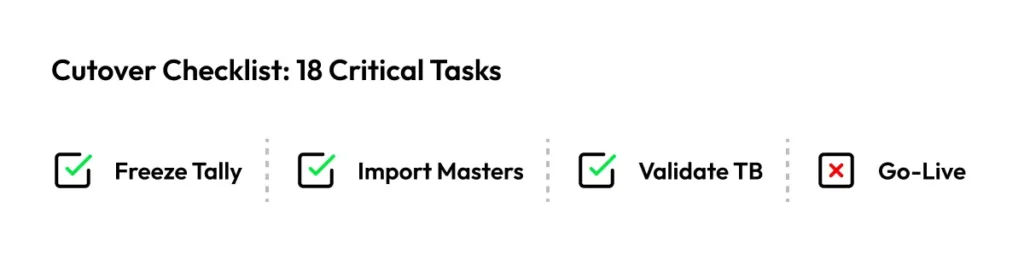
Cutover Checklist
| Task | When | Owner | Evidence Required |
|---|---|---|---|
| Freeze Tally for new transactions | Friday 6 PM (cutoff) | Client CFO | Email confirmation to all users |
| Run final Tally reports | Friday 6-7 PM | Client Accounts | Trial Balance, Stock Summary, AR Ageing, AP Ageing (PDF exports) |
| Reconcile Tally reports internally | Friday 7-8 PM | Client Accounts | TB balanced, Stock value matches GL, AR/AP ageing totals match ledger balances |
| Export Tally data (final) | Friday 8-9 PM | Partner Consultant | CSV files for all masters + opening balances |
| Review/clean exported data | Friday 9-11 PM | Partner Consultant | Validation script passes (no duplicates, all mandatory fields filled) |
| Import masters into ERPNext | Saturday 9 AM-12 PM | Partner Consultant | Import logs show 100% success, no validation errors |
| Verify masters in ERPNext | Saturday 12-2 PM | Shared (Client + Partner) | Spot-check: 20 random customers, 20 items, 10 suppliers match source |
| Import opening balances (accounting) | Saturday 2-4 PM | Partner Consultant | Opening Journal Entry submitted, Temporary Opening = 0 |
| Import opening stock | Saturday 4-5 PM | Partner Consultant | Stock Reconciliation submitted, stock GL account matches stock value |
| Validate Trial Balance in ERPNext | Saturday 5-6 PM | Shared (Client CFO + Partner) | ERPNext TB matches Tally final TB (asset, liability, equity balances identical) |
| Validate Stock Valuation | Saturday 6-7 PM | Client Inventory Manager | ERPNext Stock Balance report matches Tally Stock Summary (item-wise qty + value) |
| Validate AR Ageing | Saturday 7-8 PM | Client Accounts | ERPNext Receivables Ageing report matches Tally ageing (customer-wise outstanding) |
| Validate AP Ageing | Saturday 8-9 PM | Client Accounts | ERPNext Payables Ageing report matches Tally ageing (supplier-wise outstanding) |
| Test sample transactions | Saturday 9-10 PM | Shared | Create 1 Sales Invoice, 1 Purchase Invoice, 1 Payment Entry; verify GL impact |
| User Acceptance Testing (UAT) | Sunday 10 AM-2 PM | Client Users (Sales, Accounts, Inventory) | Each user completes their checklist (create quotation, check stock, make payment, etc.) |
| Fix critical issues identified in UAT | Sunday 2-4 PM | Partner Consultant | Issue log closed or deferred to post-go-live |
| Communication to team | Sunday 4 PM | Client CFO | Email/WhatsApp: “ERPNext live Monday 9 AM, Tally read-only” |
| Go-Live | Monday 9 AM | All | First real transaction created in ERPNext |
| Hypercare support (parallel run) | Monday-Friday Week 1 | Partner Consultant | Daily EOD reconciliation between ERPNext and Tally (read-only) for first week |
| Parallel run validation | End of Week 1 | Shared | Confirm ERPNext reports match business activity (sales, purchases, inventory movements) |
| Tally archive | End of Week 2 | Client IT | Tally data exported as backup, Tally switched to archive-only mode |
Watch out: The cutover weekend is when you discover whether your cleanup was thorough. If imports fail because of missing item groups or duplicate customer codes, you’ll spend Saturday night fixing data instead of sleeping.
Practical tip: Schedule cutover for a long weekend or a slower business period. Avoid month-end, quarter-end, or peak sales periods. You need buffer time if validation reveals issues.
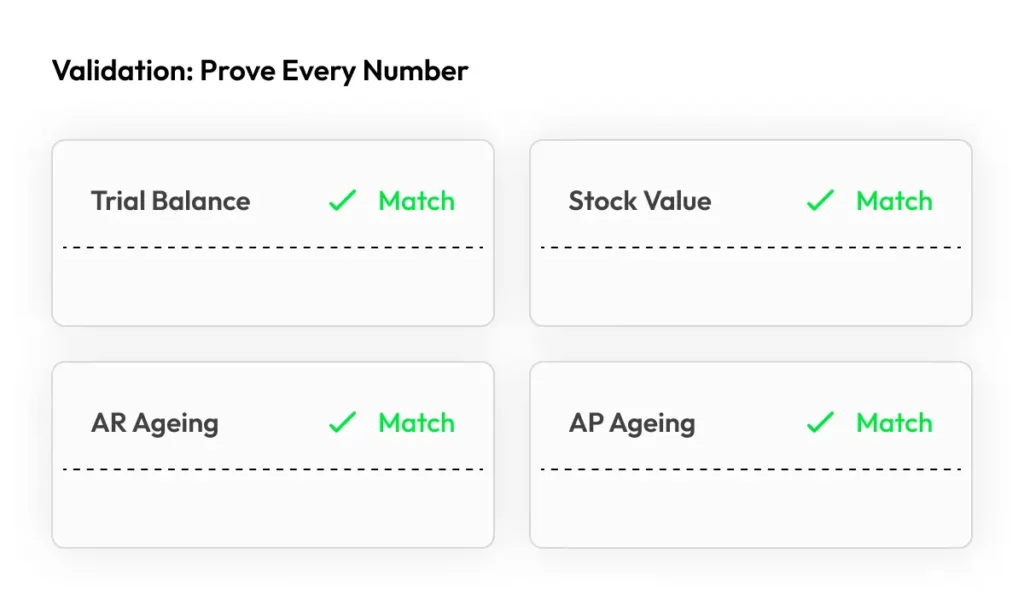
Validation & Reconciliation: Prove the Numbers
The cutover checklist includes validation tasks, but here’s what “validation” actually means in practice when you migrate from Tally to ERPNext.
Trial Balance Validation
Objective: Prove that accounting balances moved correctly.
Method:
- Export Tally Trial Balance as of cutoff date (e.g., March 31, 2026)
- Run ERPNext Trial Balance report as of same date
- Compare account-wise balances in Excel (use VLOOKUP or pivot tables)
- Every asset, liability, equity balance should match exactly
Practical tip: The Temporary Opening account in ERPNext must zero out after opening entries. If it has a balance, your opening Journal Entry didn’t balance—find the mismatch before going live.
Stock Valuation Validation
Objective: Prove that inventory quantities and values moved correctly.
Method:
- Export Tally Stock Summary (item-wise qty + valuation) as of cutoff
- Run ERPNext Stock Balance report as of same date
- Compare item-wise quantities and values
- Also check: ERPNext’s Stock Ledger GL balance should match the stock account in Trial Balance
Practical tip: Use Stock Reconciliation for opening stock. ERPNext creates a Stock Entry that debits your Warehouse account and credits Temporary Opening. When you submit the opening Journal Entry, Temporary Opening should net to zero.
AR/AP Ageing Validation
Objective: Prove that outstanding receivables and payables match.
Method:
- Export Tally Receivables Ageing and Payables Ageing as of cutoff
- Run ERPNext’s Accounts Receivable and Accounts Payable reports
- Compare customer-wise and supplier-wise outstanding amounts
- Check ageing buckets (0-30 days, 31-60 days, 61-90 days, >90 days)
Practical tip: If you imported opening invoices (Sales Invoice / Purchase Invoice with “is_opening” flag), ageing detail will be preserved. If you imported via Journal Entry, you’ll only see total outstanding without ageing buckets. Choose your import method based on business need.
Sample Transaction Walk-Through
After validation reports pass, create sample transactions to test workflows:
- Sales Order → Delivery Note → Sales Invoice → Payment Entry (full sales cycle)
- Purchase Order → Purchase Receipt → Purchase Invoice → Payment Entry (full purchase cycle)
- Stock Entry (Material Transfer) to test inventory movements
- Journal Entry for manual accounting adjustments
Practical tip: During this testing, check that ERPNext’s perpetual inventory is working—every stock transaction (Purchase Receipt, Delivery Note, Stock Entry) should create corresponding GL entries. If it doesn’t, your stock account configuration is wrong.
For businesses concerned about budget overruns, review Hidden Costs of ERPNext Implementation to understand validation and testing effort.
Illustrative Scenarios: Trading, Manufacturing, Services
Different business models face different migration risks when you migrate from Tally to ERPNext. Here are three illustrative patterns:
Scenario 1: Trading SME with Multiple Warehouses + Heavy Returns
Context: 50-member company, 3 warehouses (Mumbai, Pune, Nagpur), 800 items, ₹2 crore monthly turnover, 15% of sales involve returns/credit notes.
Top migration risks:
- Multi-warehouse stock: Tally’s godown tracking is simpler than ERPNext’s warehouse structure. Risk: opening stock imported to wrong warehouses, or warehouse hierarchy not defined correctly.
- Credit notes: Tally’s credit notes may not link back to original invoices. ERPNext expects return against original Sales Invoice. Risk: losing traceability of returns during migration.
- GST compliance: Multiple state operations means frequent inter-state and intra-state invoices. Tax template setup must be bulletproof.
Mitigation:
- Create warehouse master with clear hierarchy (parent = “All Warehouses”, children = location-specific)
- Decide whether to migrate historical credit notes (complex) or just reflect their impact in opening balances (simpler)
- Test tax template auto-selection with 20 sample transactions (10 in-state, 10 out-of-state) before cutover
- Use ERPNext’s Stock Reconciliation to set warehouse-wise opening stock accurately
Practical tip: For trading businesses with high return rates, consider starting ERPNext fresh (opening balances only) rather than migrating every historical credit note. The cleanup effort often isn’t worth it.
Scenario 2: Manufacturing SME with Batch/Serial + BOM
Context: 30-member company, 200 raw materials, 50 finished goods, batch tracking for chemicals, serial tracking for motors, 3-level BOM.
Top migration risks:
- Batch/serial numbers: Tally’s batch tracking is item-wise. ERPNext requires batch/serial number masters linked to items. Risk: batch data doesn’t import cleanly, or serial number format mismatches.
- BOM migration: Tally doesn’t maintain formal BOMs (bill of materials). Manufacturing recipes are often in Excel or tribal knowledge. ERPNext requires structured BOMs. Risk: BOM creation becomes a greenfield exercise, delaying go-live.
- Work-in-progress (WIP): If you have open production orders in Tally, how do you migrate them? Risk: losing visibility of WIP during cutover.
Mitigation:
- For batch items, export batch-wise stock from Tally. Create batches in ERPNext first, then import opening stock with batch references.
- For serial items, decide: migrate serial number history (time-consuming) or start fresh serial series in ERPNext (faster).
- Create BOMs in ERPNext during implementation phase (before cutover). Don’t wait until migration weekend.
- For WIP: close all production orders in Tally, take WIP stock reconciliation in ERPNext, start new Work Orders post-go-live.
Practical tip: Manufacturing migrations take 2-3x longer than trading migrations because of BOM setup and production workflow configuration. Budget accordingly.
Scenario 3: Service/Project Business (Accounting + Invoicing Only)
Context: 15-member consulting firm, no inventory, project-based billing, time tracking, expense reimbursements.
Top migration risks:
- Project-wise profitability: Tally doesn’t have native project accounting. ERPNext does. Risk: historical project data is scattered across cost centers and cannot be cleanly mapped to ERPNext Projects.
- Unbilled revenue: Service businesses often have work-in-progress that hasn’t been invoiced yet. Risk: this WIP doesn’t migrate cleanly, leading to revenue leakage or double-billing.
- Expense claims: If you’re migrating employee expense data, ERPNext’s Expense Claim module is more structured than Tally’s journal vouchers. Risk: format mismatch.
Mitigation:
- For project data, accept that historical project-wise reporting may stay in Tally exports/Excel. Use ERPNext Projects for new projects post-go-live.
- For unbilled revenue, create manual adjustment entries in ERPNext to reflect WIP balances as of cutoff date.
- For expense claims, import only outstanding reimbursements (amounts owed to employees). Clear all pending expenses in Tally before cutover.
Practical tip: Service businesses have the simplest migration path (no stock complexity), but project accounting setup requires clear logic: how do you allocate costs and revenue to projects? Define this before importing opening balances.
For decision guidance on whether to migrate from Tally, see ERPNext vs Tally + Excel: When to Upgrade.
What to Prepare Before You Migrate
Before you schedule cutover, ensure these are ready:
- Ownership assignment: Every data type in the Migration Scope Map has a named owner (not “TBD”)
- Cleanup completion: Duplicate customers merged, inactive items archived, HSN codes filled, UOMs standardized
- Mapping documentation: Chart of Accounts mapped, customer/supplier groups defined, item groups structured, warehouse hierarchy created
- Tax template configuration: IN State and OUT State sales/purchase tax templates created and tested
- Naming series decided: Invoice/order/payment naming series finalized (can’t easily change post-go-live)
- User access defined: ERPNext roles and permissions configured; users trained on their modules
- Tally reconciliation: Final Trial Balance balanced, Stock Summary matches GL, AR/AP ageing reconciled
- ERPNext sandbox tested: Sample data imported and validated in a test environment before touching production
- Cutover timeline agreed: Freeze date, import window, validation window, go-live date all confirmed
- Validation criteria defined: What reports must match (TB, Stock, AR, AP), what tolerance is acceptable (exact match vs ±₹100)
- Rollback plan ready: If validation fails catastrophically, how do you revert? (Tally stays operational until validation passes)
- Hypercare support arranged: Who is available 24/7 for first week after go-live to fix urgent issues?
- Communication plan set: How will you inform users about cutover (email, WhatsApp, meeting)?
- Backup strategy confirmed: Tally data exported as archive, ERPNext snapshot taken pre-import
- Integration points tested: If ERPNext connects to other systems (payment gateway, e-commerce, CRM), test integration flows
Practical tip: Print this checklist. In every migration meeting, review unchecked items. The temptation is to skip “boring” preparation and jump to “exciting” import. Don’t. Preparation discipline is what separates 6-week migrations from 6-month disasters.
Quick Summary
- Most delays when you migrate from Tally to ERPNext come from messy data and unclear ownership, not technical barriers
- Three stages: Data Cleanup (2-4 weeks), Mapping & Import (1-2 weeks), Cutover & Validation (1 week + hypercare)
- Migration Scope Map defines what data moves, from where, to where, under what rules, and who owns it
- Data cleanup rules: Merge duplicates, retire inactive masters, standardize UOMs, fill HSN codes, reconcile opening balances
- Mapping plan: Chart of Accounts hierarchy, customer/supplier groups, item groups, warehouse structure, tax templates, naming series
- Cutover checklist: Freeze Tally, export final data, import masters, import opening balances, validate TB/Stock/AR/AP, test transactions, go-live with hypercare
- Validation: Prove Trial Balance matches, Stock Valuation matches, AR/AP Ageing matches, sample transactions work correctly
- Scenarios: Trading (multi-warehouse + returns), Manufacturing (batch/serial + BOM), Services (project accounting + unbilled revenue) each have unique migration risks
- Preparation beats speed: 15-item pre-migration checklist ensures you don’t discover missing pieces during cutover weekend
Ready to migrate from Tally to ERPNext without data disasters?
We’ll create your migration scope map, cleanup checklist, and cutover plan—with validation rules that prove every number moved correctly. Book a 20-minute call to discuss your migration timeline and get a realistic cost estimate.
Book a 20-minute migration call →
Prefer WhatsApp? Reach us via the contact page.